
Aerial 3D property captures · made on your Mac · played offline
Every property,
a new perspective.
FSM Viewfinder turns one drone flight into a 3D capture clients can fly through: a cinematic particle reveal, named views, a property card, and a ready-to-post MP4. Nothing leaves your computer, and nothing needs configuring.
Measured on the Glasshouse capture, Central Florida, on Freefall's Mac, Sept 28 – Oct 17, 2026. The clip above is the app's own Save MP4 export of that capture (Offline Refined), unedited.
One app. Flight to showing.
Capture it. Direct it. Hand it over.
01 / From drone video
One flight in.
A 3D property out.
Drop a drone video on the Library. FSM Viewfinder solves the camera path, trains the capture and brings it into Studio, with the particle reveal already set up. Your video stays on this Mac; the conversion runs with networking switched off.
- Draft for a quick look, Standard for editing and client previews, Refined for a longer training pass with more detail.
- Keep working while it runs: browse captures, open Studio, come back when it's ready.
- Already have a Gaussian Splat export (.zip or .ply)? Drop it in. Compressed and phone versions are prepared automatically.
- Finished captures carry their camera solution with them, so views and horizon survive export and import.
The Glasshouse Draft took about 4.6 minutes on Freefall's Mac; Refined took longer. Results depend on the footage.
02 / Studio
Direct the reveal.
Studio is where a capture becomes a showing. Pick a reveal style, set how far the particles scatter and how long they take to land, and choose the camera move. One timeline scrubs the camera and the particles together, so what you see at three seconds is what the client sees at three seconds.
- Reveal styles: Subtle, Balanced, Expansive. Fine-tune spread and duration.
- Camera moves: Rotating reveal (a 90° sweep that settles on your opening view), Gentle push-in, Slow orbit, Drone rise, Locked off.
- Viewpoints: frame a shot, name it, Save view. The flag marks where the reveal lands.
- Level & frame: nudge the horizon by a degree, go closer or wider, use the preview as the opening view.
- Property card: title, address, price, beds and baths, size, and the agent with a booking link. Empty fields never show.
03 / What clients see
Then they fly it themselves.
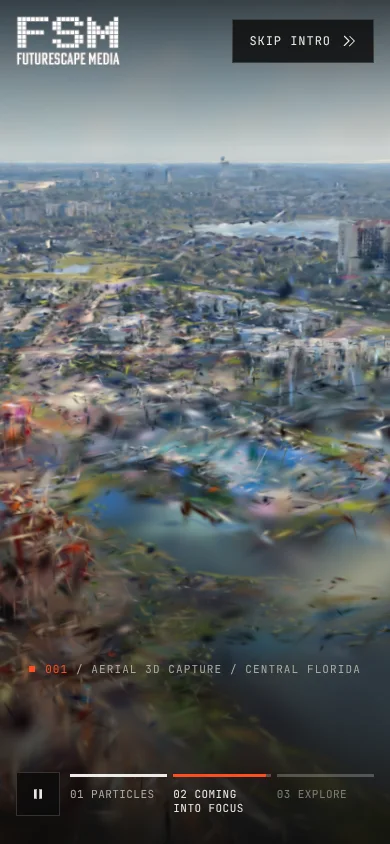
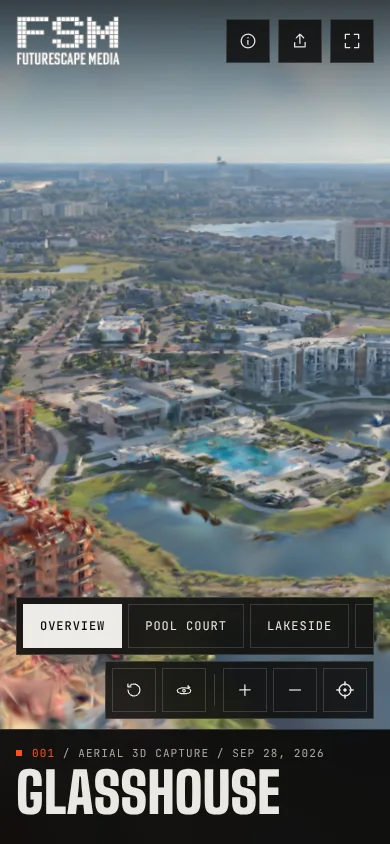
The client's viewer opens on a loading screen where the Futurescape mark fills in square by square, plays the reveal, then hands over the controls. No editing tools, no settings: the property, your views, and the card.
- Views row: one tap moves the camera to each shot you saved.
- Drag to look around, scroll to zoom, right-drag to pan. Auto orbit for a hands-free loop.
- Replay intro, Skip intro, and About this capture with the date and point count.
- Book a showing, phone and email buttons open the client's own apps.
- Reduce Motion on, and the intro is skipped and the camera holds still.
04 / Save MP4 video
Post it anywhere.
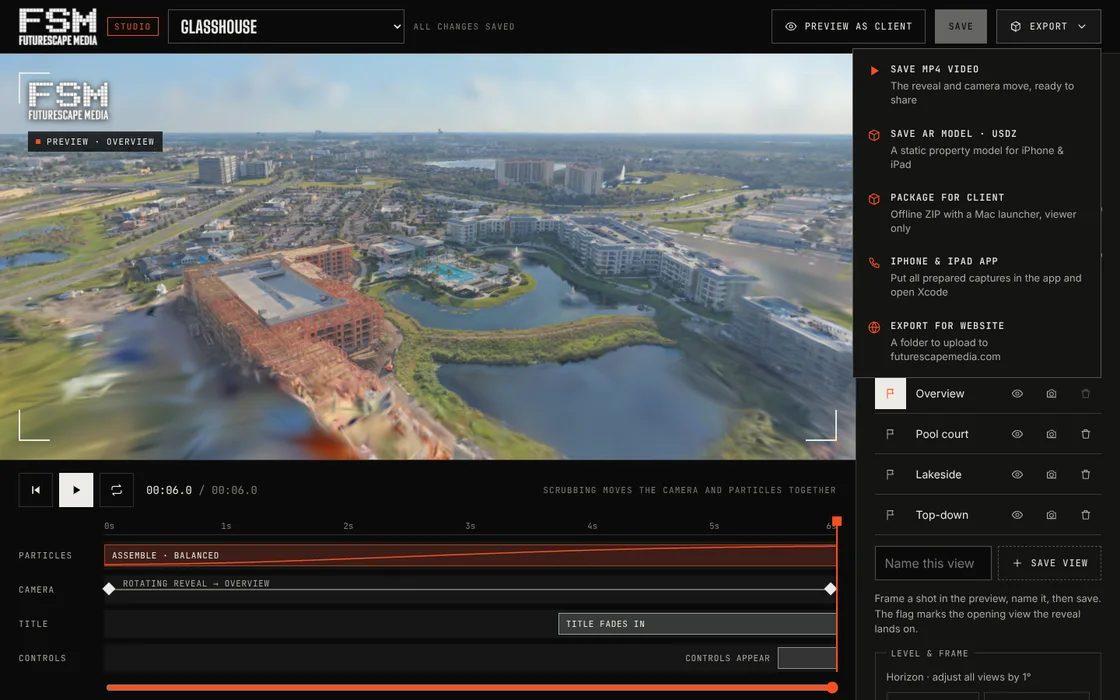
Export › Save MP4 video renders the same reveal, frame by frame, to a 16:9 H.264 file on your Mac. Every frame follows the shared timeline, so a slower render never drops frames or changes the timing.
- 4K, 1080p or 720p at 30 frames per second. Standard or High quality.
- Title and address overlay, and a two-second hold on the final view.
- Music from your Mac: MP3, M4A, WAV, AAC, FLAC or OGG. Preview it, set the volume; short tracks repeat, long ones trim, both ends fade.
- Progress and Cancel in the same window. Show in Finder when it's done.
- Experimental: Save AR model (USDZ) for a tabletop look on iPhone and iPad.
The hero clip at the top of this page is one of these exports: 1920 × 1080, 8.0 seconds.
05 / iPhone, iPad and Mac
Show it in the field.
FSM Viewfinder for iPhone and iPad is a native app with the captures stored inside it. Library, reveal, views and the card all work with no signal at all. iPhones play the lighter phone version; iPads get full detail.
- Update iPhone & iPad app from the Library: one click copies every prepared capture into the Xcode project.
- On the Mac, double-click FSM Viewfinder.app. No Terminal, no browser. Quit stops everything.
- Phone version: the brightest, largest points of the capture, 7.5 MB for Glasshouse.
06 / Hand it over
Yours to give away.
Every capture can leave the app in a form the client can keep.
- Package for client: an offline ZIP with the viewer, the capture and its own Mac launcher. Read-only, with no Studio inside.
- Export for website: a static folder to upload to futurescapemedia.com. Phones automatically get the lighter version.
- Branding per property: show the Futurescape mark on the loading screen, viewer and MP4 watermark, or switch it off for an unbranded delivery.
- Open formats all the way down: PLY in, SPZ for the web, MP4 and USDZ out. Your originals are never edited.
Private by design
The app only talks to itself.
A property capture is a client's property. FSM Viewfinder is built so it never has to leave the room.
The local server listens on this computer alone, refuses other host names, and only accepts changes from the app's own pages. No login, no analytics, no CDN, no remote fonts.
The capture you imported is kept as it came. Compressed and phone versions are made beside it, and every save keeps a backup of the previous settings.
Property folder, starting view, poster, compressed and phone files: all made for you. The app checks every file before it opens and tells you plainly if one is missing.
Video conversion, MP4 export and AR export all run locally, with network access denied to the engine while it works.
Also in the box
Ask about access
Captures
a new perspective.
Interested in FSM Viewfinder? Contact Human Freefall to ask about availability and access for your workflow.
- Mac: macOS 13 or newer, with Xcode's command line tools or Python 3.8+ (the app checks). A GPU for the 3D captures.
- iPhone and iPad: iOS 16.4 or newer; installed from the included Xcode project with your Apple ID.
- Version 1.0 · October 2026